Workspace Apps

Your Multilingual Agent in Slack

Built for global teams

Localize with AI agents
for speed and accuracy

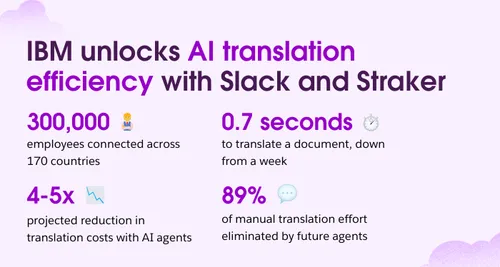
87%

to translate a document,
down from a week

4-5x

projected reduction in
translation costs with AI agents

89%

of manual translation effort
eliminated by future agents

Capabilities

Why it’s the perfect app for your Slack

It's built for global teams to chat in any language.

It’s faster with AI-powered translations that save time.

It’s simple with drag-and-drop file translations, requiring no extra steps.

Channel & Direct Message
AI Translation

Translate in Channel feature allows instant AI translations of any texts in your preferred channel.

Localize Content

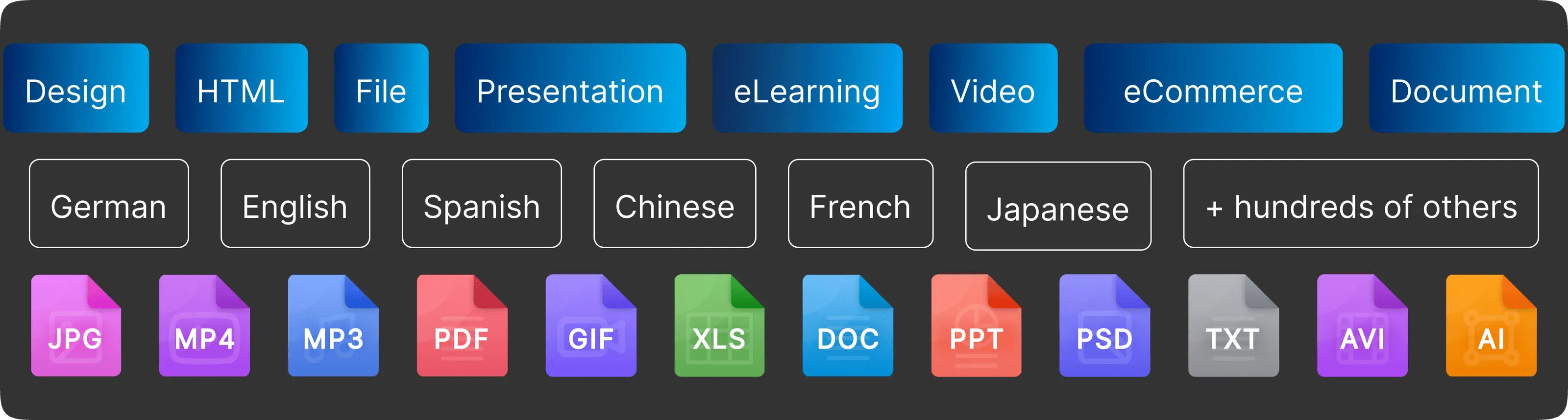
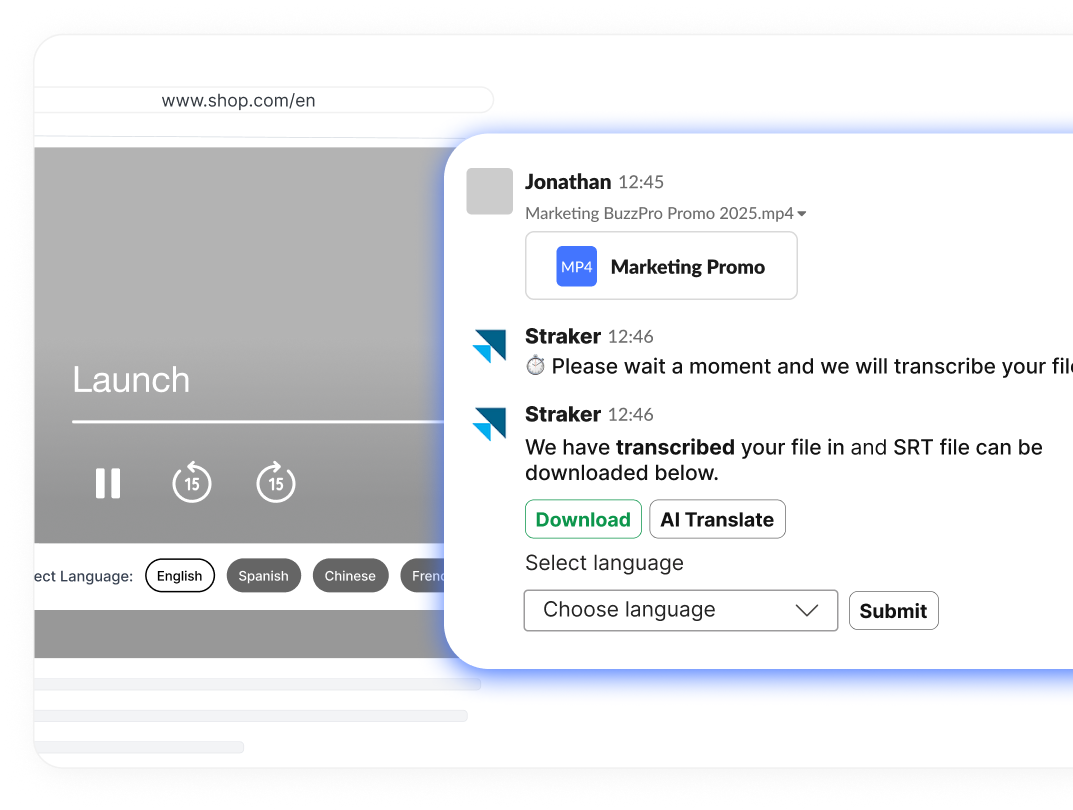
Instant document translations and
media transcriptions in multiple languages.

Personal Agent Translator

Once your language is set, it auto-detects and translates messages into your preferred language—no manual requests needed.

Real-Time Quality Evaluations

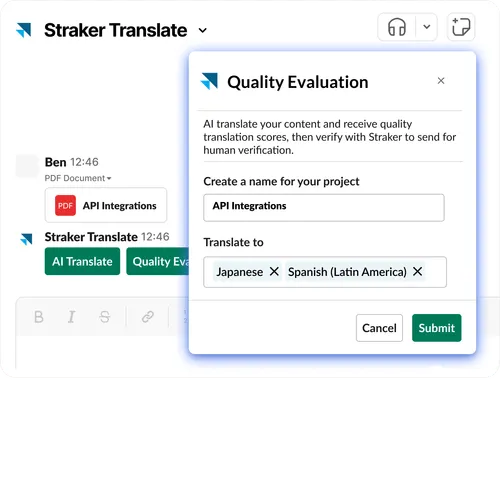
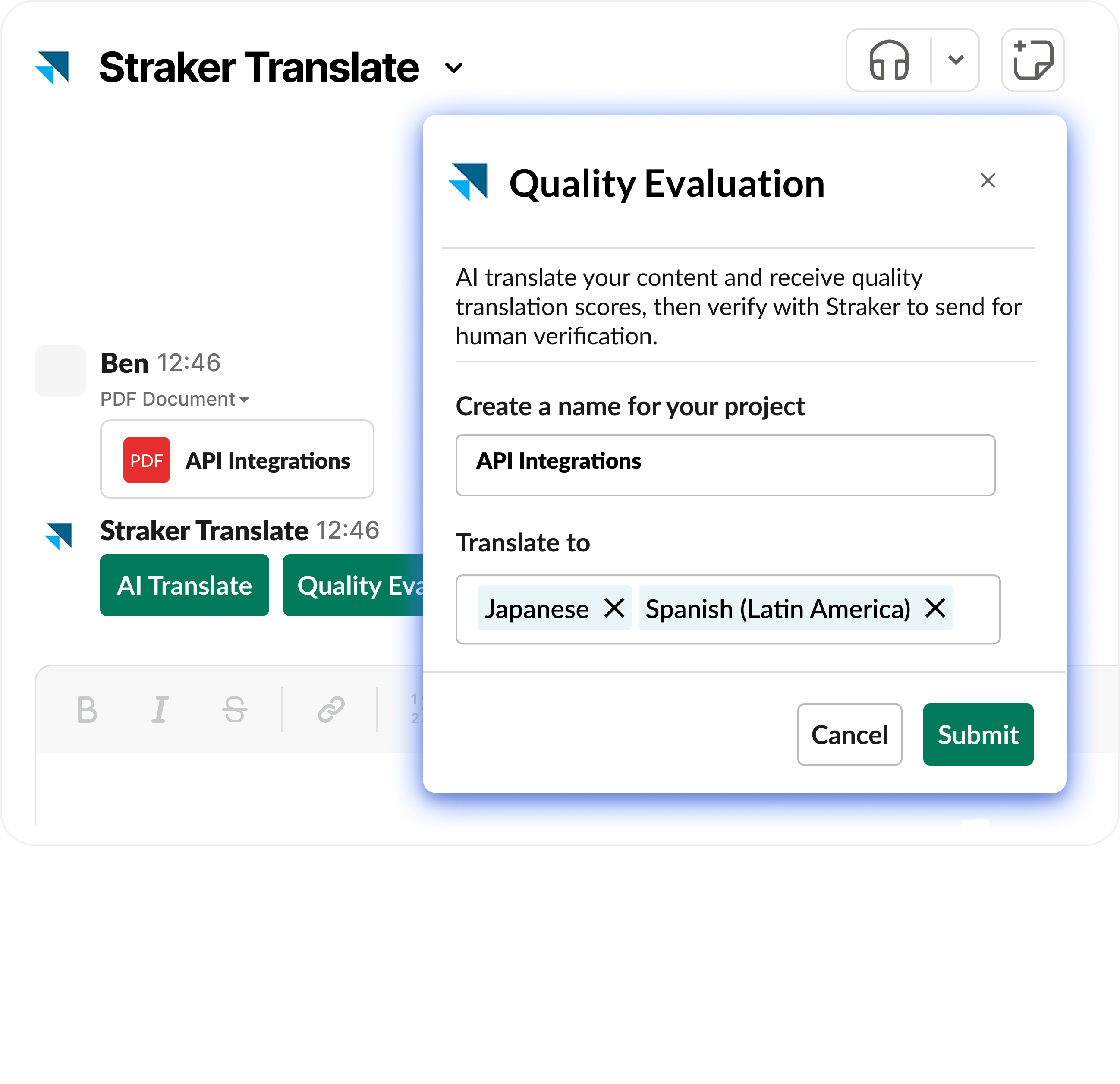
Verify Quality Evaluation checks the accuracy, consistency, and quality of AI-translated documents, ensuring businesses deliver messages globally.

Connecting the Straker Translate for Slack

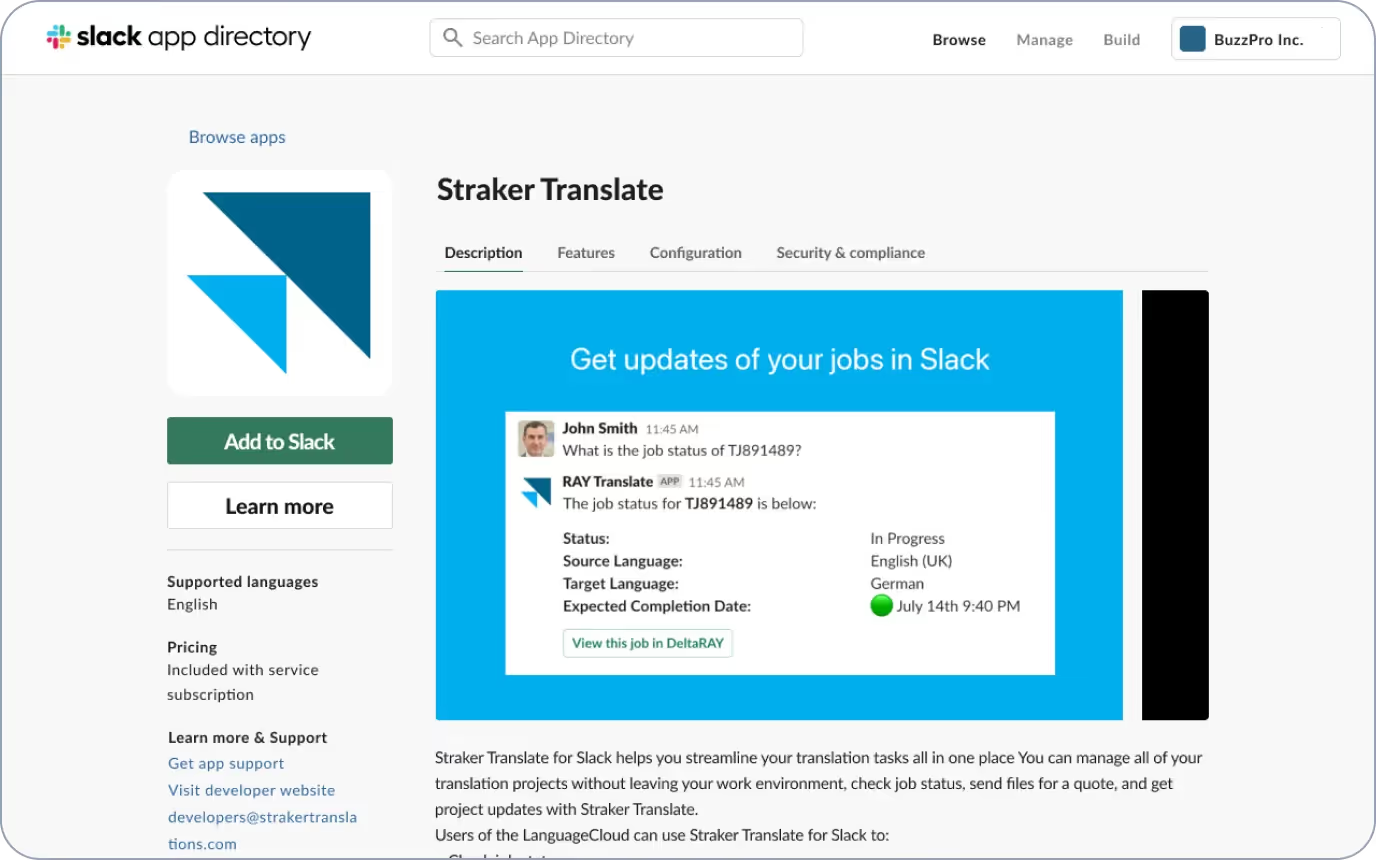
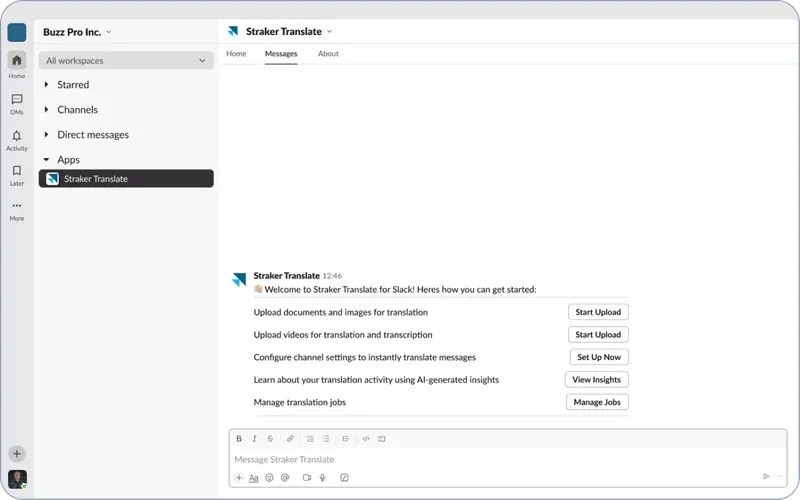
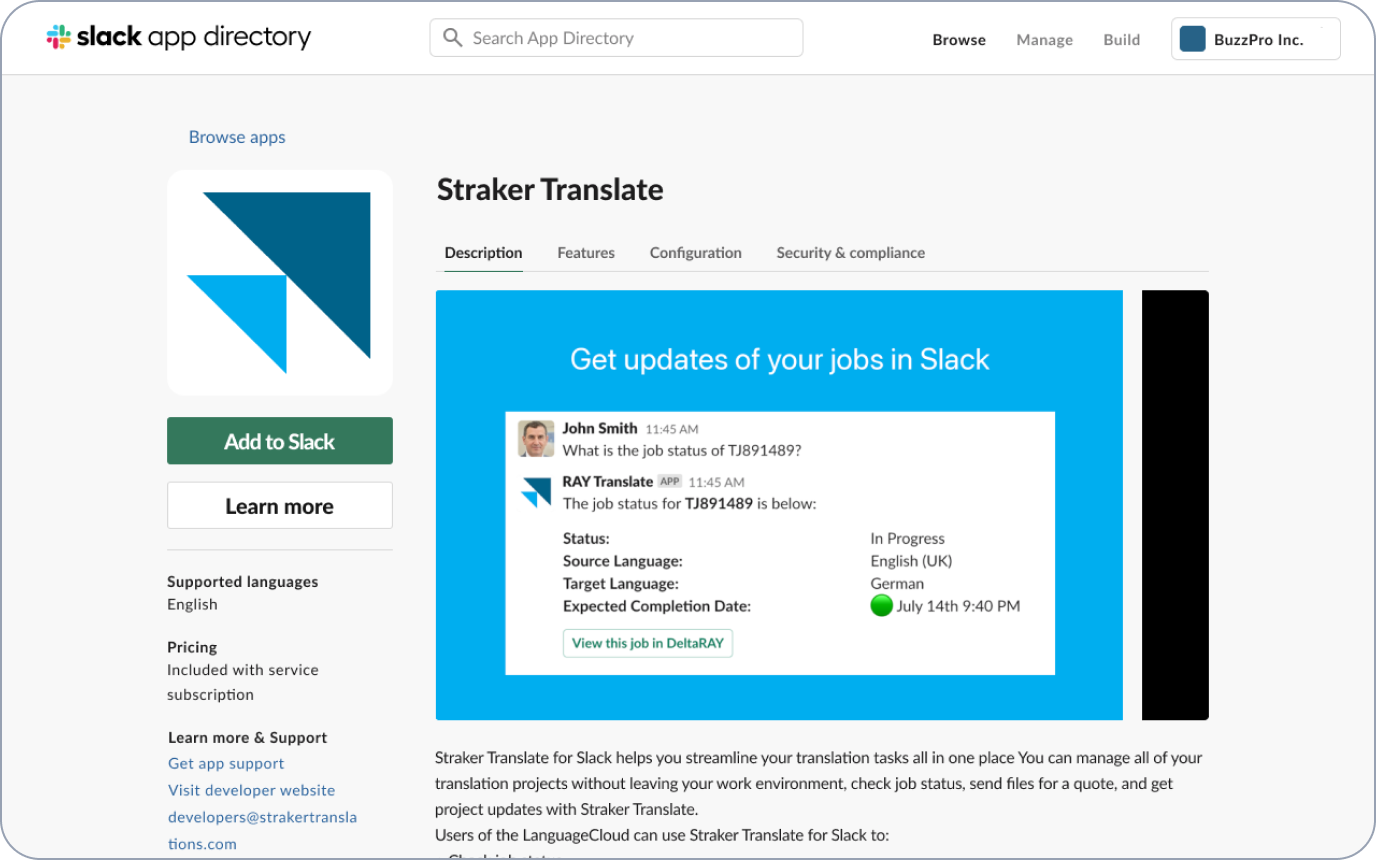
Step 1: Add Straker Translate to Slack

Straker Translate will be the live app for Slack. Download here.
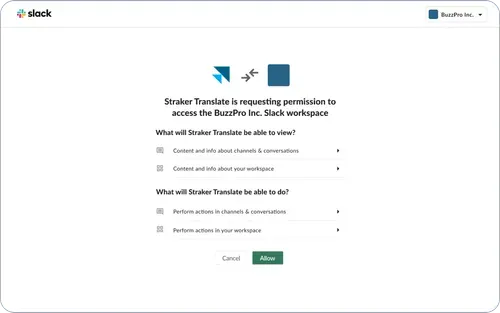
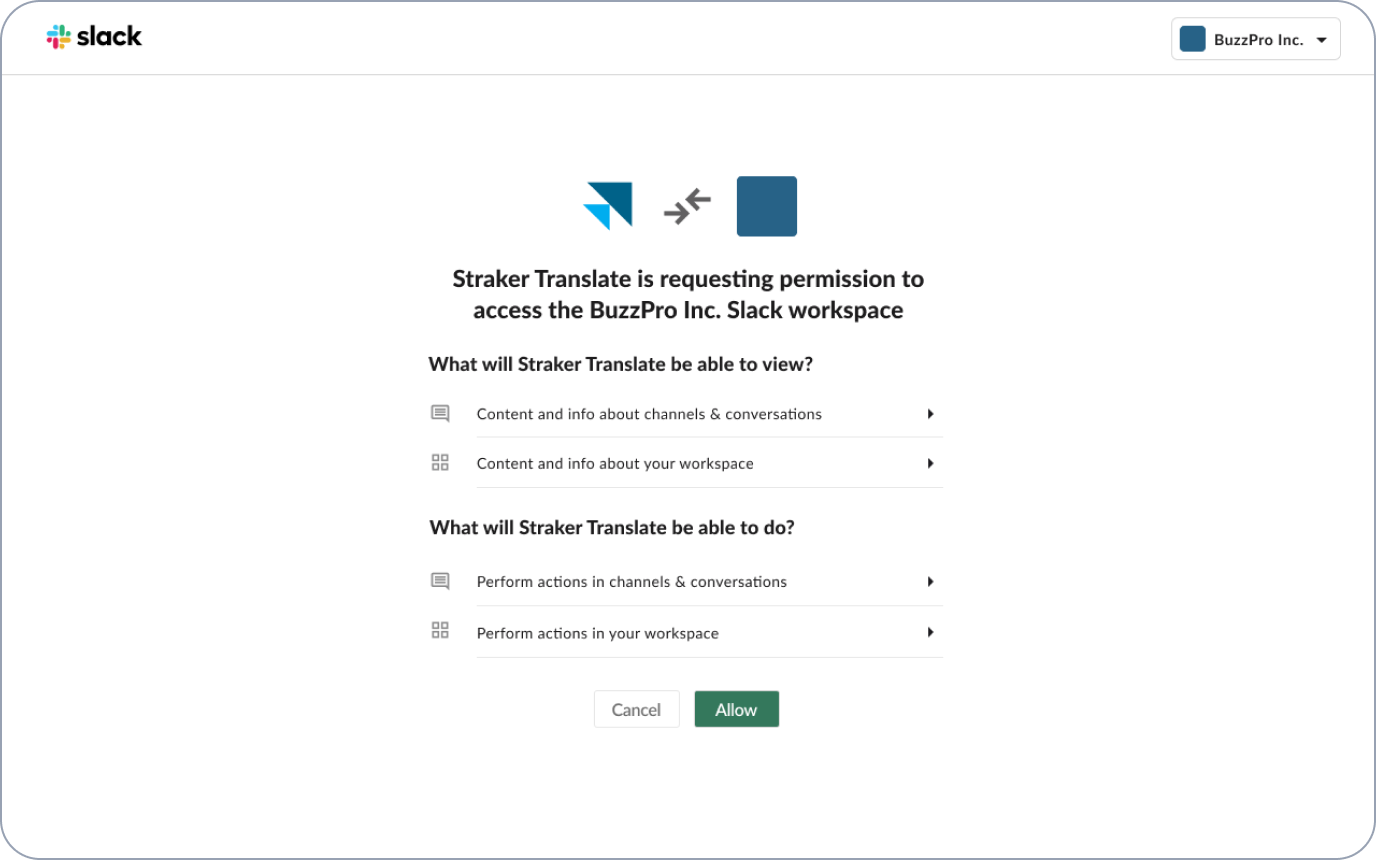
Your workspace admin will need to approve and install Straker Translate within your Slack.
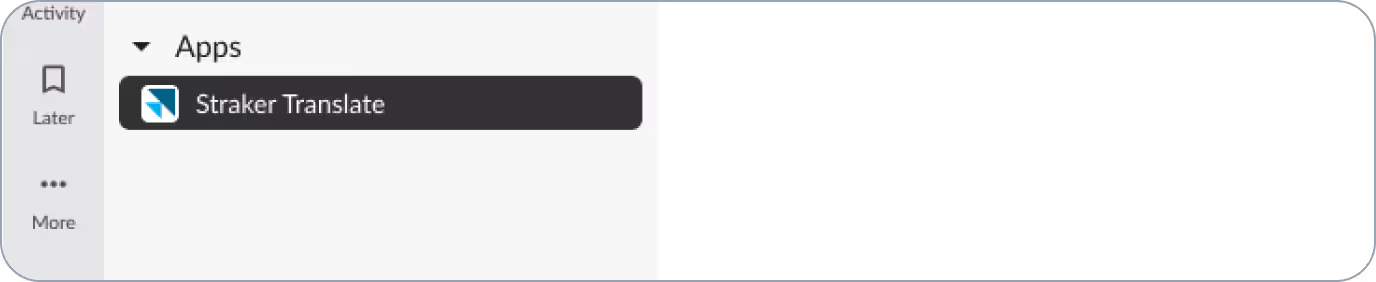
Once your admin has installed the app, all other users in the workspace should be able to search and add Straker Translate from the Apps section in Slack.

Step 2: Connect Straker Translate to your organization's account using the following methods:

Method A
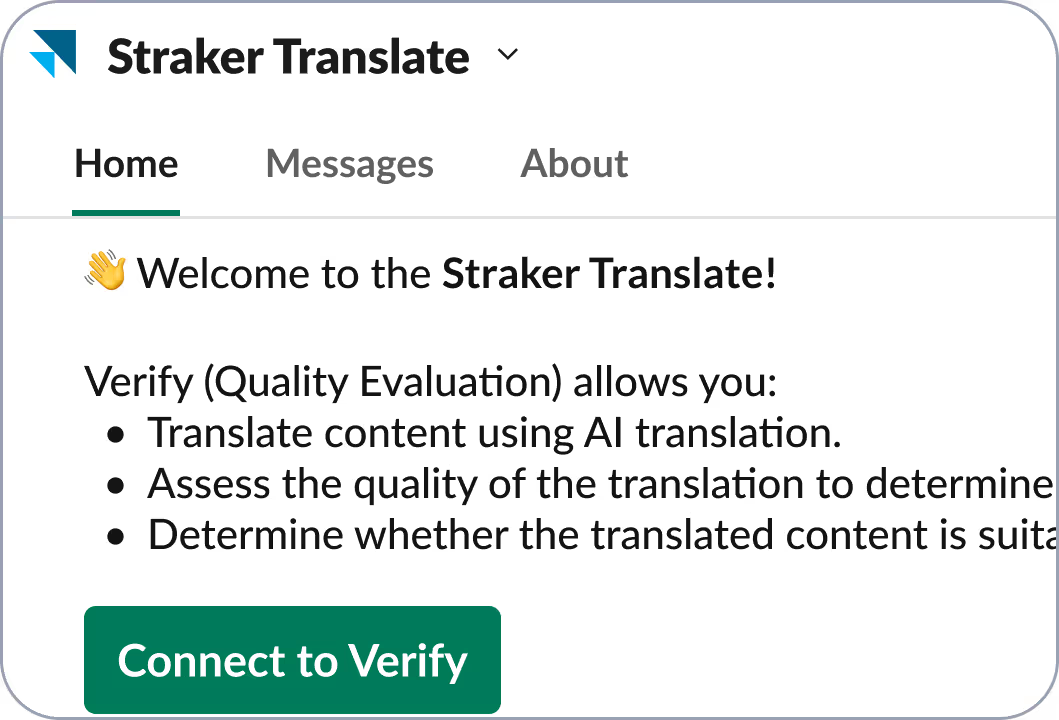
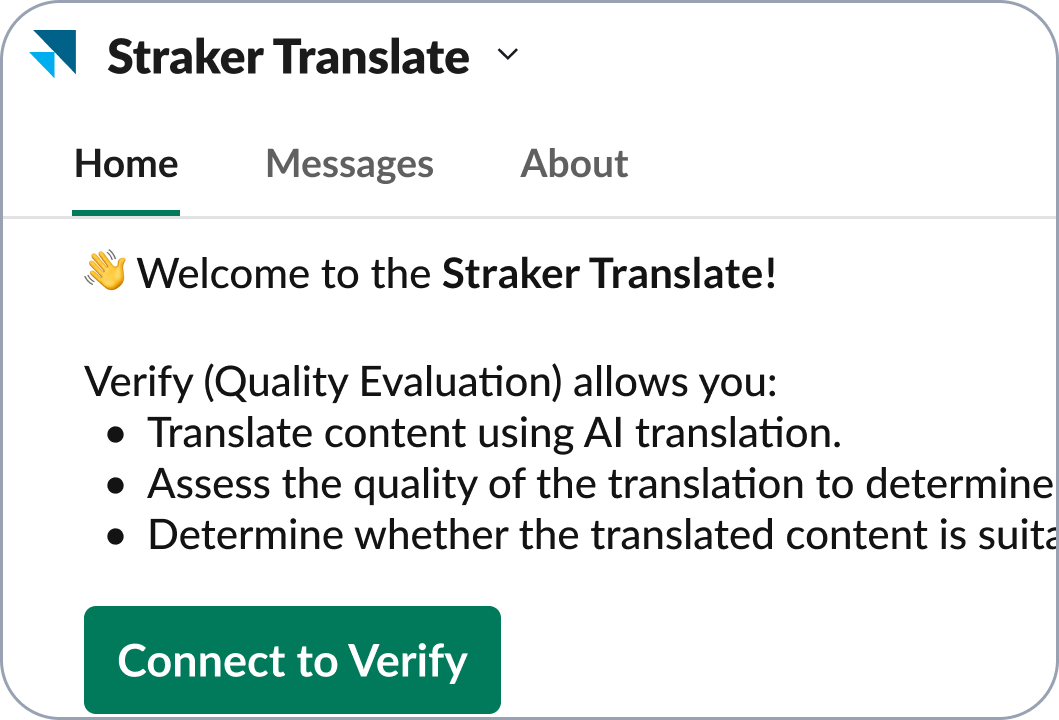
Connect the Straker Translate to your organization's account by clicking on Connect to Verify.
Method B
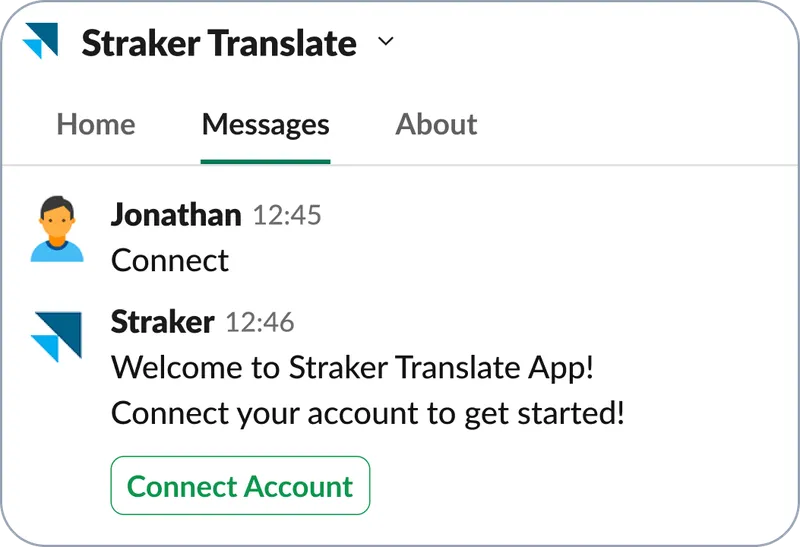
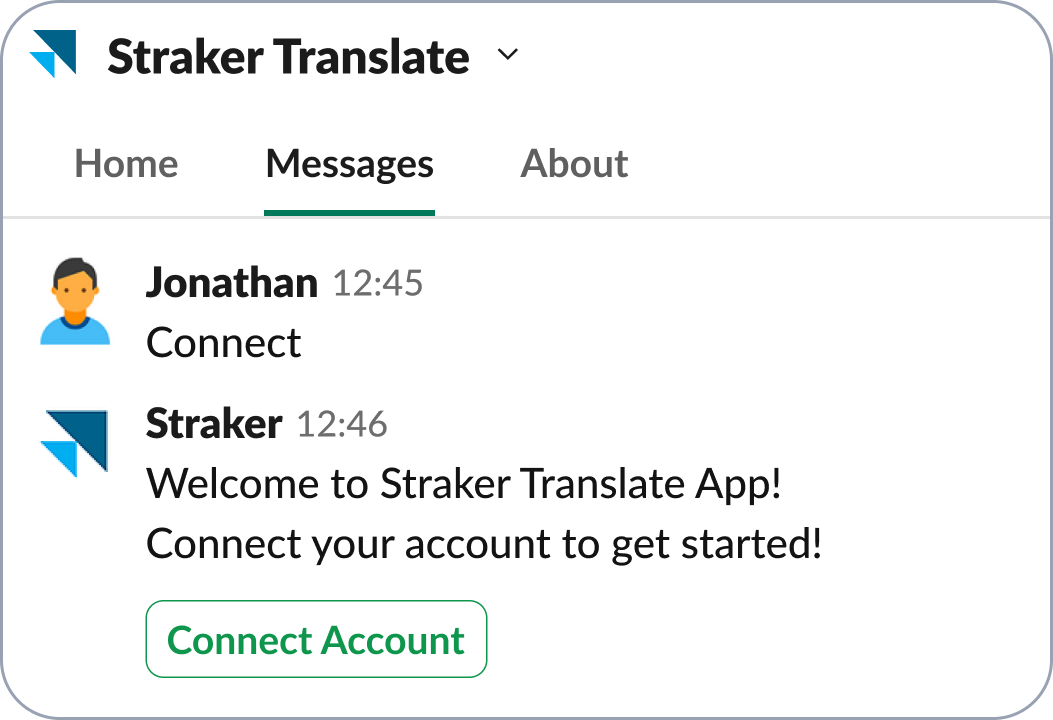
Type the command connect to connect Straker Translate to your organization's account pressing enter in Slack, and then click on Connect Account.

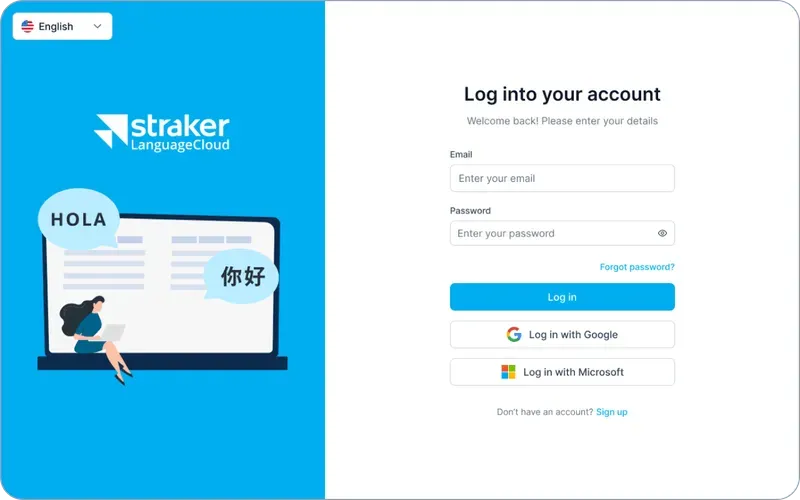
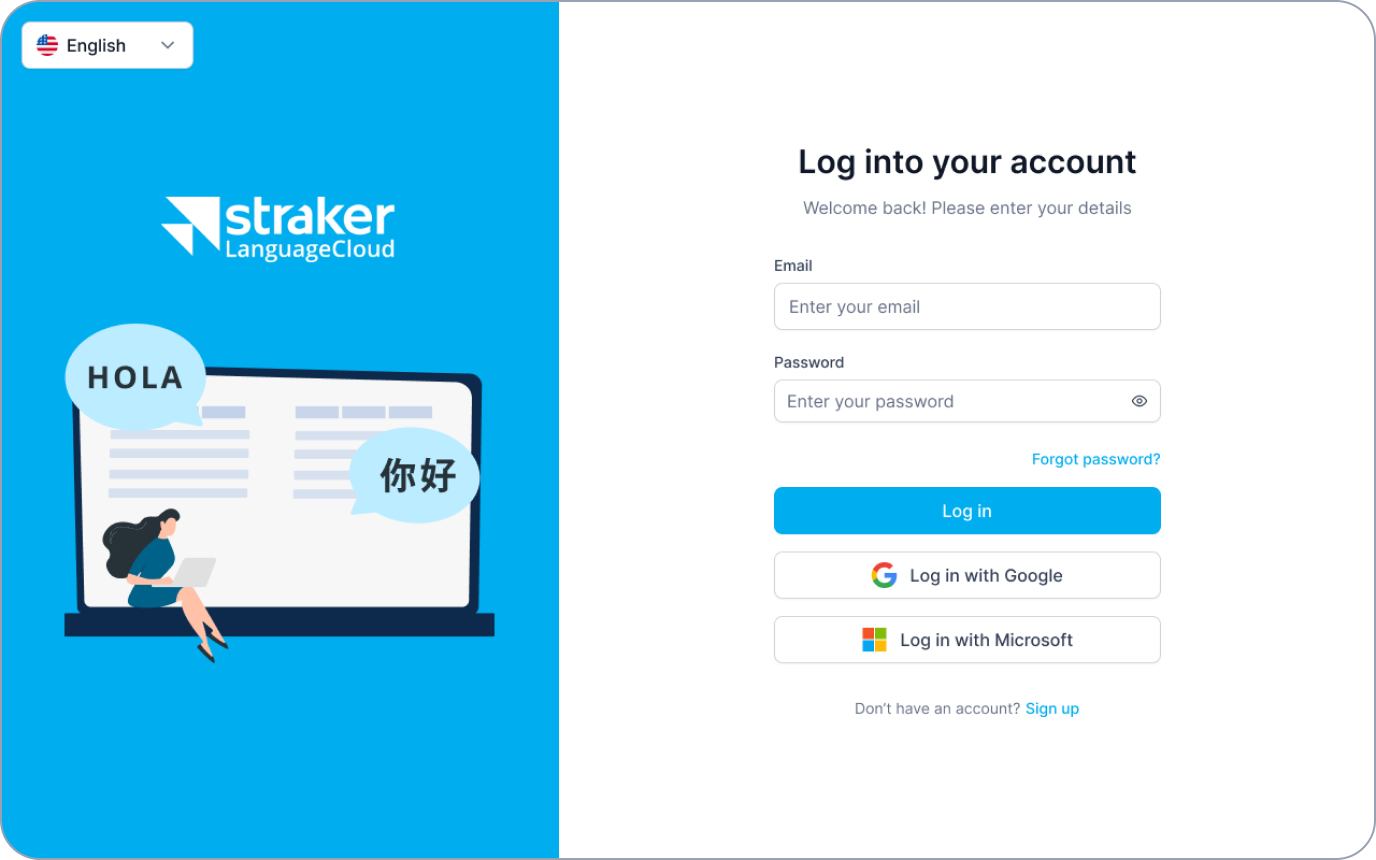
Step 3: Log in for LanguageCloud.

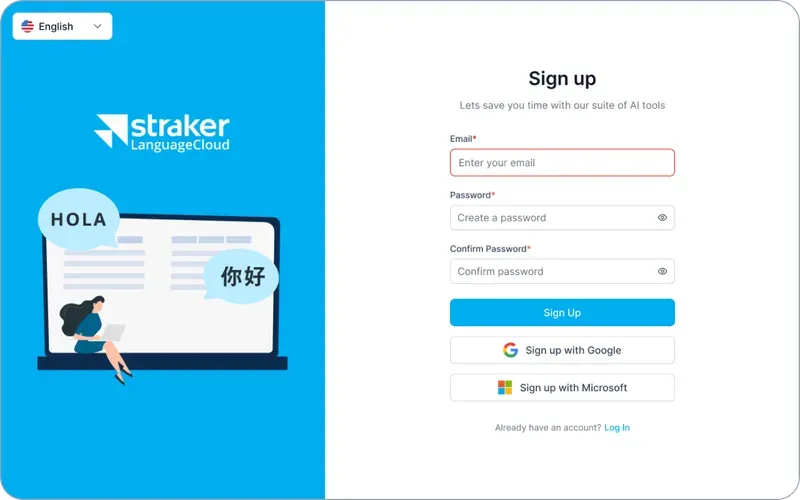
If you don't have an account, click on the Sign up button, enter your email address and password, and then click Sign up. You will be notified to check your email and verify your LanguageCloud account. Once you verify your email you will be connected within your Straker Translate App for Slack.

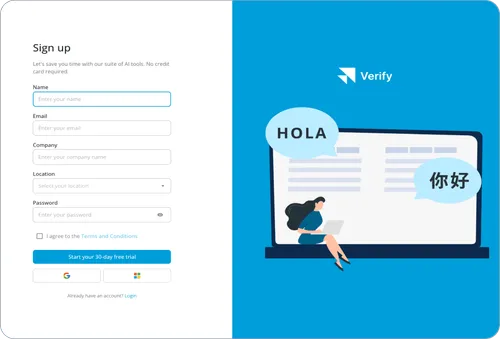
Step 3: Sign up for Verify.

If you don’t already have an account, enter your email address and password, then click “Get Started” to proceed. You’ll receive an email prompting you to authenticate your Verify account. Once you confirm your email, your account will be seamlessly connected to the Straker Translate for Slack.

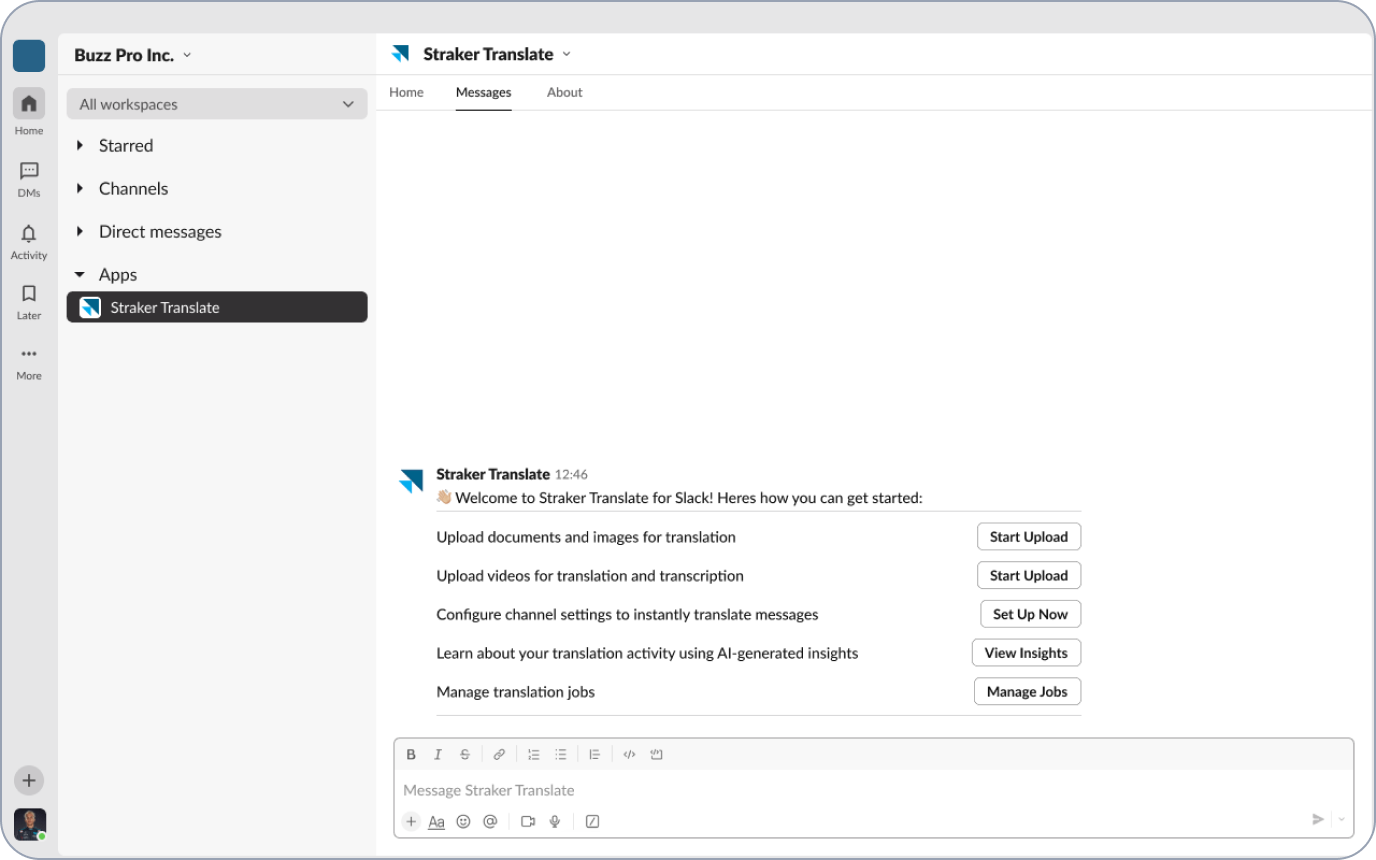
Step 4: Once Straker Translate is connected, you will receive a notification.

Connecting the Straker Translate for Slack

Step 1: Add Straker Translate to Slack

Straker Translate will be the live app for Slack. Download here.
Your workspace admin will need to approve and install Straker Translate within your Slack.
Once your admin has installed the app, all other users in the workspace should be able to search and add Straker Translate from the Apps section in Slack.

Step 2: Connect Straker Translate to your organization's account using the following methods:

Method A
Connect the Straker Translate to your organization's account by clicking on Connect to Verify.
Method B
Type the command connect to connect Straker Translate to your organization's account pressing enter in Slack, and then click on Connect Account.

Step 3: Log in for LanguageCloud.

If you don't have an account, click on the Sign up button, enter your email address and password, and then click Sign up. You will be notified to check your email and verify your LanguageCloud account. Once you verify your email you will be connected within your Straker Translate App for Slack.

Step 3: Sign up for Verify.

If you don’t already have an account, enter your email address and password, then click “Get Started” to proceed. You’ll receive an email prompting you to authenticate your Verify account. Once you confirm your email, your account will be seamlessly connected to the Straker Translate for Slack.

Step 4: Once Straker Translate is connected, you will receive a notification.

AI-driven language solutions
 that works for everyone

Customize your localization experience in Slack, with features and integrations designed for your role.

Make your product feel local, everywhere

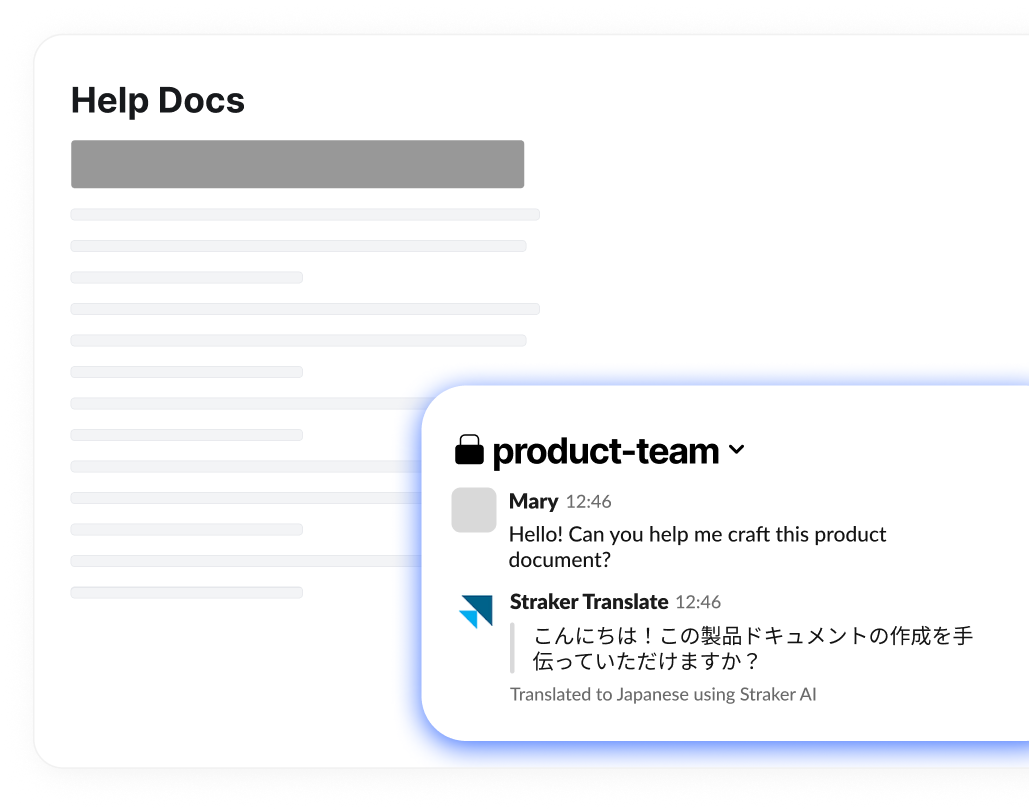
From release notes to API documentation, Straker Translate makes it easy to translate and localize your product content for global audiences. Product managers can also use it for sending chat updates and scheduling product launch announcements.

Keep your technical documentation consistent

Use AI to translate and maintain uniformity in technical documentation, sprint notes, and technical discussions. Facilitate easier updates for bug reports and revisions—all within Slack.

Manage localization projects in one place

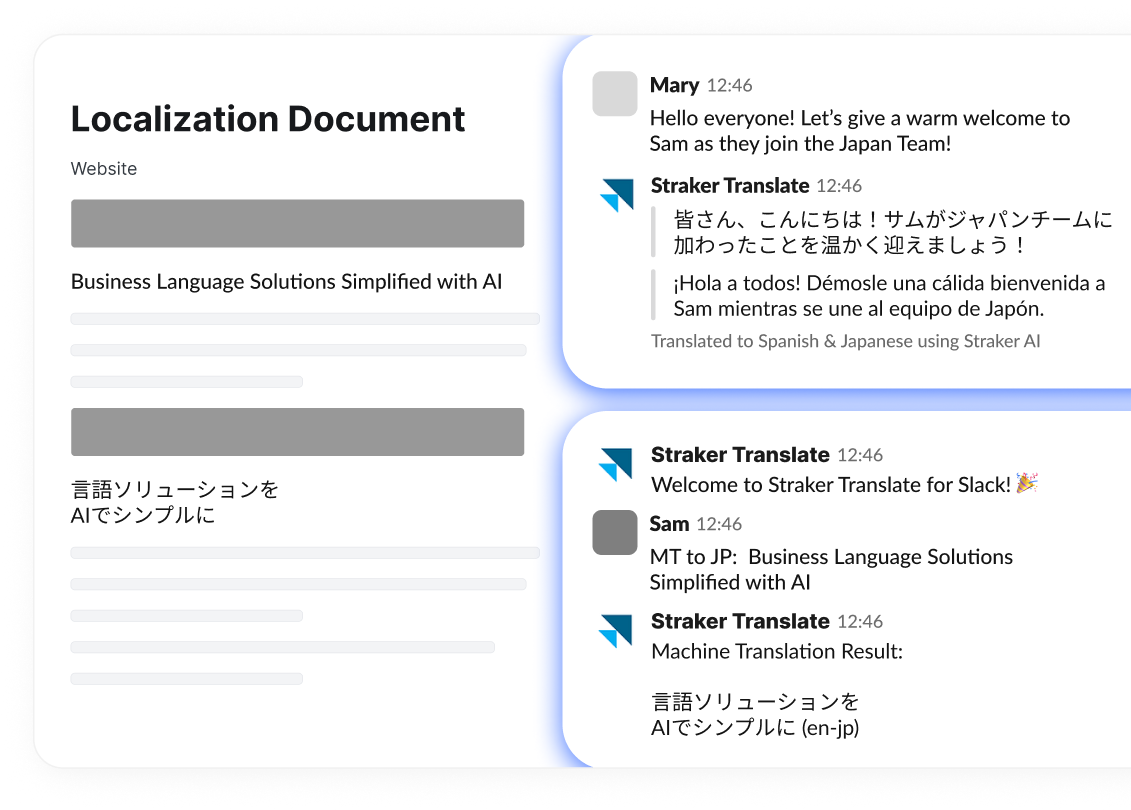
Monitor localization project timelines and keep team members informed of progress. Manage your workflow within Slack to meet localization deadlines.

Develop learning materials
in any language

Empower global learners with AI-driven translation tools that make course creation more inclusive and accessible. Easily localize demo and training materials to engage learners in their native languages.

Localize any content into any language with AI

Translate messages, files, and channels—all in one workspace.

Frequently Asked Questions

Find answers to common questions about using Straker in Slack

How much does it cost?

You can start for free! Premium plans unlock advanced features—perfect for growing teams.

Will it work for my team?

If you use Slack, this app is for you. Everyone in your workspace can access it with ease. Your admin can install the app for your organization or workspace.

What languages are supported?

We support over 100+ languages. Your team can communicate and localize content in nearly any language you need.

How do I get access to all the features?

You can sign up for the features you want to use except the Translation Settings which your admin user can enable on your behalf.

Is it secure?

We use enterprise-level encryption to keep all your messages and files secure. We also are fully compliant with GDPR, and our Information Security Management System (ISMS) is certified against the ISO/IEC 27001 standard.

How do I install it?

Click “Add to Slack” above or download it from here, and the app will be added to your Slack in seconds. Setup is that simple.

Everything you need to communicate
and collaborate within Slack

Slackの多言語エージェント

グローバルチーム向けに構築

AIエージェントによるローカリゼーションで速度と正確性を向上

0.7秒
ドキュメントの翻訳に要する時間、1週間から短縮
4-5倍
AIエージェント採用で予想される翻訳コスト削減幅
89%
フューチャーエージェントによって削減される、人力による翻訳の手間

お使いのSlackに最適なアプリである理由

これは、グローバルチームがどの言語でもチャットできるよう設計されています。
AIを活用した翻訳で作業速度がアップ**、時間を短縮します。
ドラッグ・アンド・ドロップのシンプルな動きでファイルを翻訳でき、余分な手順は必要ありません。

グローバルチームの働き方をより良く、より速く、よりスマートにするためにできること

Straker Translate App for Slackがすべてを解決します
300,000
世界170カ国で繋がる従業員
Speech bubble with translation symbols representing Straker Translate's language translation feature.
チャンネルとダイレクトメッセージ
AI翻訳
Translate in Channel(チャンネル翻訳)機能により、お好みのチャンネル内テキストのインスタントAI翻訳が可能です。
コンテンツのローカライズ
ドキュメントの翻訳や動画の文字越こしを多言語で即座に実行できます。
AI chip icon representing Slack’s Personal Agent Translator that auto-detects and translates messages into your preferred language.
パーソナルエージェント・トランスレーター
一度言語が設定されると、メッセージを自動検出し、ご希望の言語に翻訳します(マニュアルによるリクエストは必要ありません)。
Outward arrow with dots, symbolizing seamless integration of Straker Translate into Slack workspace.
リアルタイム品質評価
Verifyのエバリュエーション(品質評価)機能が、AIによって翻訳された文書の正確性、一貫性、品質を確認し、世界中へのメッセージの発信を可能にします。
Person with magnifier icon representing direct access to Straker experts who verify the accuracy of your multilingual content.
人間による検証
Strakerの言語エキスパートと容易につながることで、必要であればいつでも言語変換の正確性を評価することができます。
8 min readの読み込み速度

IBMはSlackおよびStrakerと手を組み、AIの翻訳効率を解き放つ

世界170カ国に30万人以上の従業員を抱えるIBMは、極めてグローバルな規模で事業を展開しています。 そのため、製品およびサービスを世界中に提供する際の複雑さをサポートするには、言語やタイムゾーンを超えたシームレスな協力体制が必要となります。 コンセプトから発売まで、翻訳はIBMが製品をグローバル市場に投入する上で極めて重要な役割を担っています。

Centralising workflows across timezones and languages

For years, IBM relied on web-based tools and a sprawling network of local language service providers to manage translations. This process was fragmented, time-intensive, and required employees to navigate multiple systems, manually upload files, and manage complex approval processes.

When IBM adopted the Straker app in Slack, everything changed. By  translation directly into Slack, IBM teams no longer needed to rely on external tools or multiple suppliers. Translation became a seamless part of their existing workflows.

David Sowerby, Chief Revenue Officer at Straker, highlights the simplicity of this integration: “The beauty of using Straker in Slack is that employees don’t need to learn a new system. They can translate and verify content directly in Slack. This reduces friction and makes translations faster and more accessible.”

Today, 10,000 IBM employees actively use the Straker app each month, translating between 40–50 million words. Teams can upload documents or presentations directly into Slack, where the app translates the content and returns it within seconds.

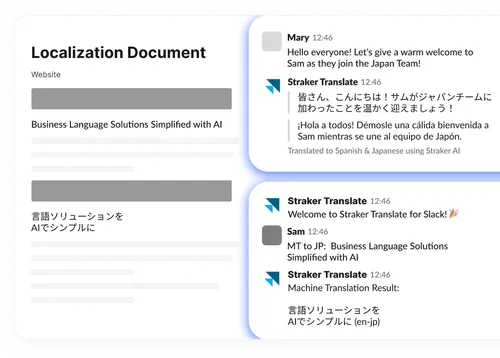
The app also supports real-time multilingual collaboration in Slack channels. For example, IBM teams in Japan and the US can work together seamlessly. One team member types in English, the other responds in Japanese, and the app instantly translates both messages — ensuring clarity and precision.

Doug Mueller, Program Executive, Worldwide Globalization and Translation at IBM, describes the impact: “Slack’s asynchronous nature and the ease of use of the Straker integration is levelling. It boosts productivity and engagement across global teams.”

Reducing friction across the product lifecycle

Translation used to be a bottleneck for IBM. A single 10,000-word document could take up to a week to process, with multiple steps and touchpoints along the way. Now, with the Straker app in Slack, those same requests are completed in just 0.7 seconds.

This speed is a game changer in avoiding critical bottlenecks during the key stages of product development, testing, and global rollout. Together, Slack and Straker help IBM maintain momentum, eliminating barriers and keeping teams aligned across languages and time zones.

“From development to testing, launching, and supporting products globally, we need solutions that eliminate friction and keep teams aligned,” explains Mueller. “Slack and Straker make that possible.”

Unlike web-based tools, the Slack app is designed to meet IBM’s enterprise needs, delivering tailored translations that ensure precision, maintain tone, and protect sensitive data — all while providing the agility required for a global business.

Shaping the future of translation with AI agents

agents will work alongside teams to refine machine translations, adapt content for specific use cases like marketing or technical documentation, and suggest quality improvements.

“Agents are where translation is headed,” says Sowerby. “Imagine a quality boost agent fine-tuning translations or a style agent adapting language for different audiences. In Slack, these agents will drive efficiency and precision.”

By combining human expertise with AI, Straker’s agents will allow IBM to scale translations globally without compromising quality. This approach also reduces human workload significantly. For example, tasks that previously required manual translation of 900 out of 1,000 words now only need human input for 100 words.

Sowerby adds, “This shift reduces costs by a factor of four or five while maintaining high-quality results. It’s about balancing quality and cost efficiency to deliver the best outcomes.”

As IBM continues to scale, Slack and Straker are setting a new standard for translation — integrating cutting-edge technology with workflows to drive better outcomes for teams worldwide. [#]

購読してもっと読む!

最新のニュース、お知らせ、記事をお届けします。
Thank you! Your submission has been received!
Oops! Something went wrong while submitting the form.

あらゆるニーズに対応するAIを活用した言語ソリューション

お客さまの役割に応じて設計された機能とインテグレーションにより、Slackでのローカリゼーション体験をカスタマイズできます。

顧客の言語を話す

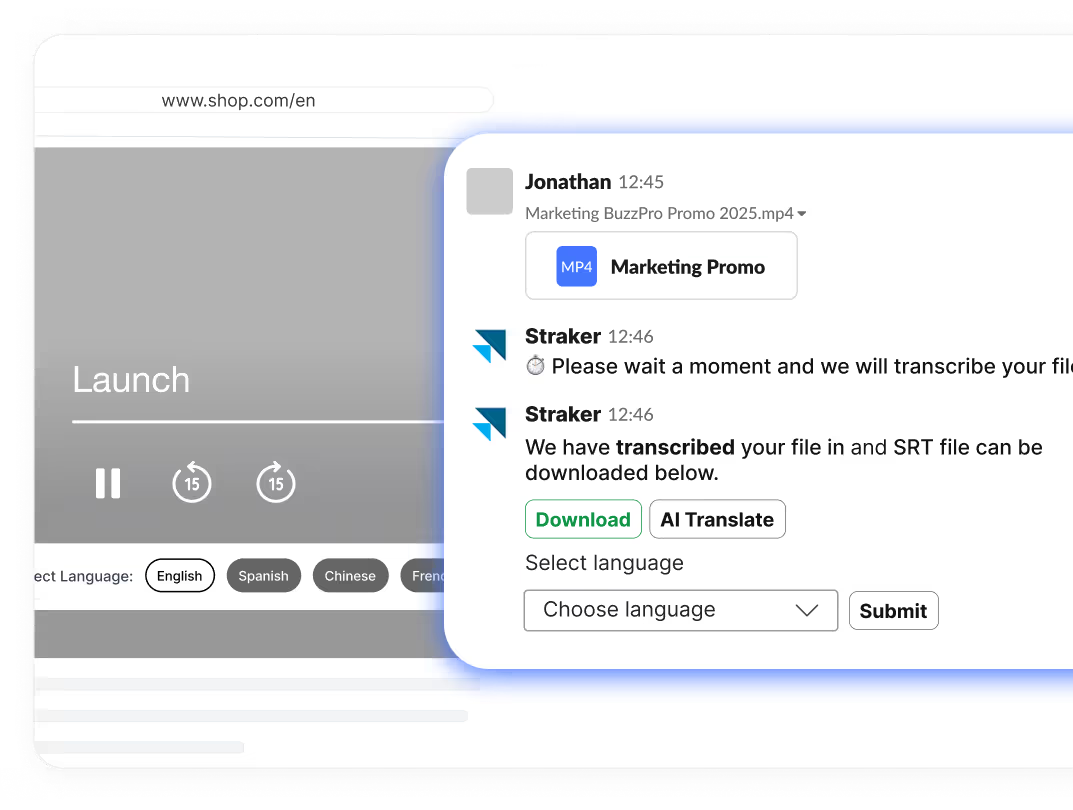
販促資料やマーケティング資料をSlackで即座に直接翻訳することで、お客さまのメッセージをあらゆる市場や言語とつなげます。

セールスイネーブルメント・コンテンツを今すぐローカライズしましょう!
Slack preview showing Straker transcribing a video and offering instant translation to help teams speak every customer’s language.

どこにいても、ローカルな製品の使い心地を実現

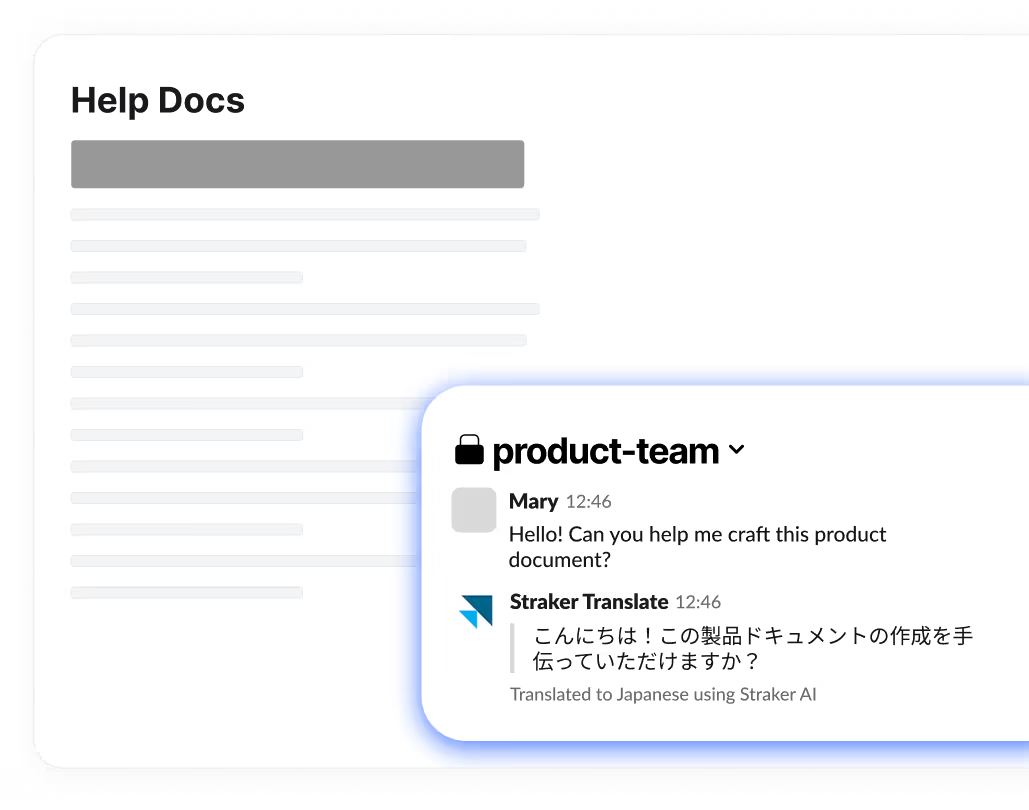
Strakerアプリを使えば、リリースノートからAPIドキュメントまで、お客さまの製品コンテンツを世界中のオーディエンス向けに簡単に翻訳し、ローカライズすることができます。 また、プロダクトマネージャーは同アプリを使ってチャットのアップデートを送信し、新製品発売の発表をスケジューリングできます。

Scale your product globally!
Help Docs and Slack preview showing Straker translating product content so teams can localize releases and updates instantly.

技術文書の一貫性を保つ

AIを活用して技術文書、スプリントノート、技術的な議論を翻訳し、統一性を保ちます。 すべてをSlack内で行うことで、バグの報告および修正の更新がより簡単になります。

Get real-time translation with technical precision!
Slack view of Straker’s Quality Evaluation, helping teams translate technical content and keep terminology consistent across updates.

ローカリゼーションプロジェクトを一元管理

ローカリゼーションプロジェクトのタイムラインをモニターし、チームメンバーに進捗状況を通知します。 Slackでワークフローを管理し、ローカリゼーションの納期に間に合わせます。

ローカリゼーションのワークフローを今すぐ見直しましょう!
Screenshot showing a localization document and Slack translations, helping teams track progress and manage multilingual projects in one place.

あらゆる言語に対応した学習教材を開発

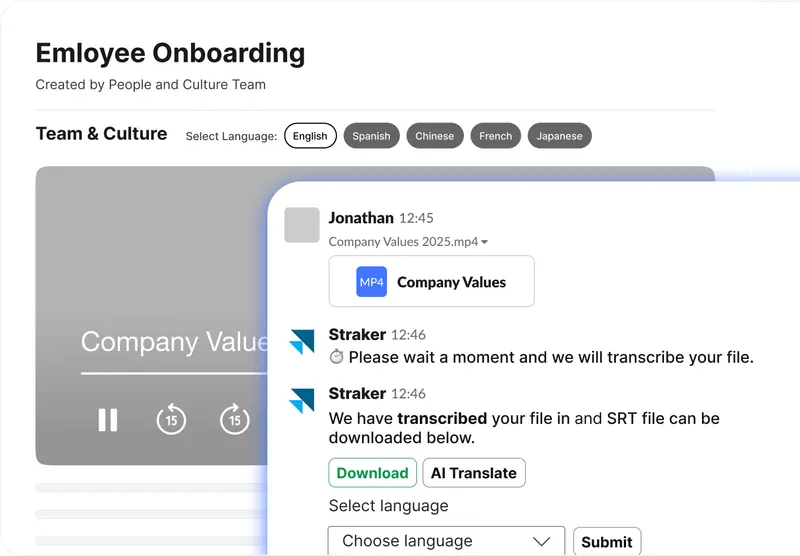
コース作成をより包括的でアクセスしやすいものにする、AIを活用した翻訳ツールで、グローバルな学習者を支援します。 デモビデオやトレーニングビデオを簡単にローカライズして、学習者が母国語で学べるようにします。

Start localizing your L&D materials today!
Screenshot showing Straker in Slack transcribing and translating onboarding videos to help teams create inclusive, multilingual training.

セキュアでコンプライアンスに準拠した法律文書の翻訳

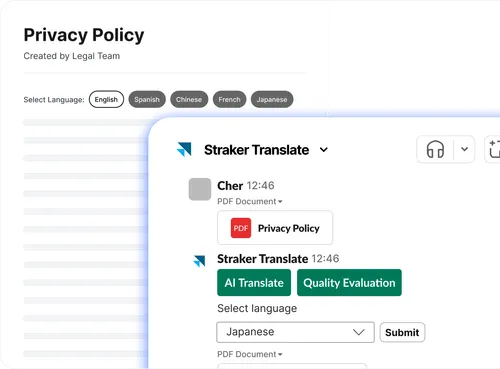
法律上の契約書、趣意書、合意書を、Slack内の法務部門やクライアントの間で安全にローカライズできます。 特許、裁判文書、その他のセンシティブなコンテンツを、機密性と正確性を維持しながら管理します。

Secure your legal translations now!
Screenshot showing Straker in Slack translating a Privacy Policy, helping legal teams localize sensitive documents securely and accurately.

AIであらゆるコンテンツをあらゆる言語にローカライズ

メッセージ、ファイル、チャンネルをすべて1つのワークスペースで翻訳します。

Slack用Straker Translateアプリに接続する方法

手順 1: Straker TranslateアプリをSlackに追加する

Straker TranslateをSlackのライブ アプリするには、こちらからダウンロードしてください。
インストールするには、ワークスペース管理者がSlack内でStraker Translateアプリを承認する必要があります。
管理者がアプリをインストールすると、ワークスペース内の他のすべてのユーザーが、SlackのアプリセクションからStraker Translateを検索して追加できるようになります。

手順 2: Strakerアプリを組織のアカウントに接続する(2通りの方法があります)

方法1
Verifyに接続をクリックして、Straker Translateアプリを組織のアカウントに接続します。
方法2
Slack内で「接続する」というコマンドを入力し、エンターキーを押します。そして、「アカウントに接続」をクリックすると、Straker Translateアプリが組織のアカウントに接続されます。

Step 3: Log in for LanguageCloud.

If you don't have an account, click on the Sign up button, enter your email address and password, and then click Sign up. You will be notified to check your email and verify your LanguageCloud account. Once you verify your email you will be connected within your Straker Translate App for Slack.

手順 3: Verifyに登録します。

アカウントをお持ちでない場合は、メールアドレスとパスワードを入力し、「開始する」をクリックしてください。Verifyアカウントの認証メールが届きます。認証が完了すると、お客様のVerifyアカウントがSlack用Straker Translateアプリに自動的に接続されます。

手順4: Straker Translateアプリに接続する(接続すると通知が届きます)

よくあるご質問

料金はどのくらいかかりますか?

無料で始められます! プレミアムプランでは、成長するチームに完璧にフィットする、高度な機能をご利用いただけます。

自分たちのチームに適していますか?

Slackをお使いでしたら、このアプリもご利用になれます。 同じワークスペースの誰もがアプリに簡単にアクセスできます。 管理者は、組織やワークスペースのために本アプリをインストールすることができます。

どの言語をサポートしていますか?

100以上の言語に対応しています。 お客さまのチームは、ほぼすべての必要な言語でコンテンツを伝達し、ローカライズすることができます。

すべての機能を利用するにはどうすればよいですか?

管理者が代表者として有効にできるTranslation Settings(翻訳設定)を除く、すべての利用したい機能にサインアップできます。

アプリは安全ですか?

もちろんです。 お客さまのメッセージやファイルを安全に保護するため、エンタープライズレベルの暗号化技術を使用しています。 また、GDPRおよびISO認証基準にも完全に準拠しています。

アプリのインストール方法は?

上の「Slackに追加」をクリックするか、こちらからダウンロードすることで、アプリはお使いのSlackにすぐに追加されます。 セットアップはとても簡単です。

コミュニケーションとコラボレーションに必要なすべてをSlackの中で実現